Available in OryxQuant
Six connected workspaces. One research loop.
Every area has a clear role, from the first prompt to the final portfolio audit.
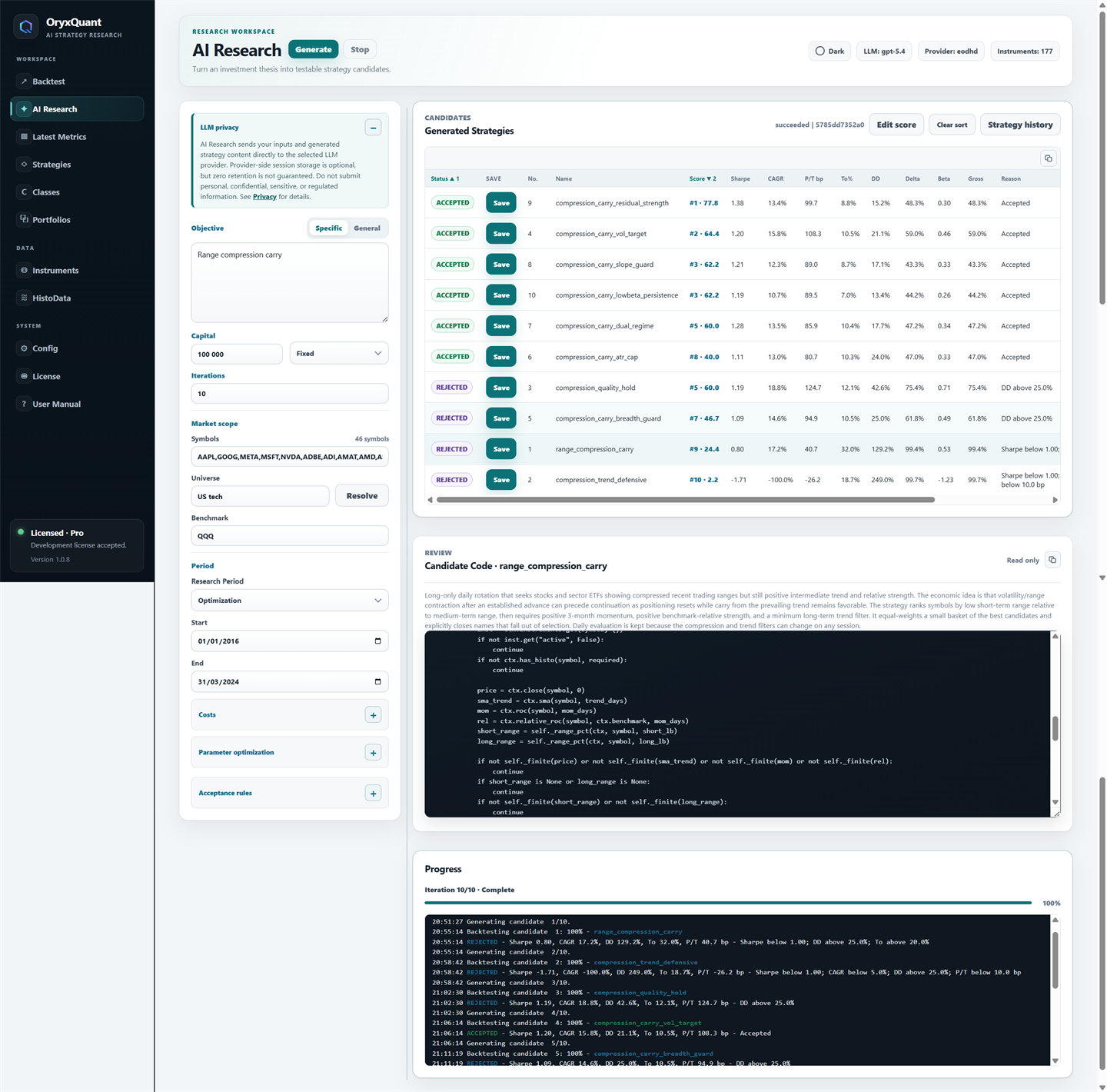
Research engineAI + Python
Turn a thesis into code you can inspect.
Work in plain language with your chosen AI provider: OpenAI-compatible APIs, Claude API, Codex, or Claude Agent. OryxQuant turns the objective and selected universe into strategy candidates while keeping the resulting Python visible.
Bring your API key, use Codex with your local ChatGPT sign-in, or use Claude Agent through your installed Claude Code CLI and local Claude sign-in. API usage or account allowance is supplied by your provider, separately from OryxQuant. Check your selected model with the compatibility test in Config.
- GenerateCreate candidates from a research objective and universe.
- EvaluateReview the code, scorecard, behavior, and diagnostics.
- Repair & compareIterate on candidates and save the strategies worth keeping.
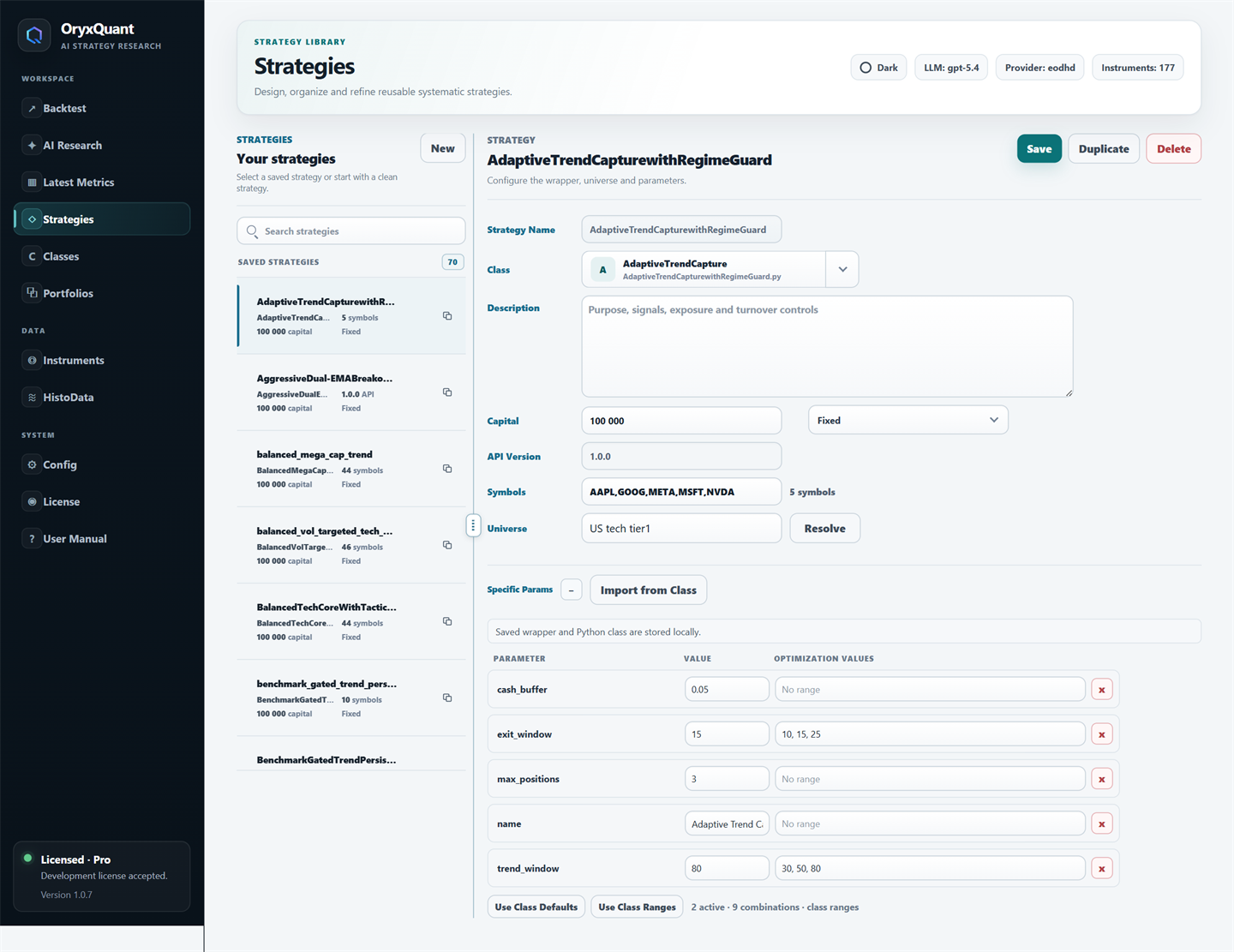
Strategy workspaceCode + universe
Keep every candidate inspectable.
Review saved Python strategies in a dedicated workspace, choose the universe and capital model they use, and keep parameters close to the code that uses them.
- Visible sourceRead and edit the Python behind every saved strategy.
- Reusable setupKeep symbols, capital mode, and strategy parameters with each saved strategy.
- Parameter rangesDefine explicit bounds for each parameter and explore candidate configurations through systematic optimization.
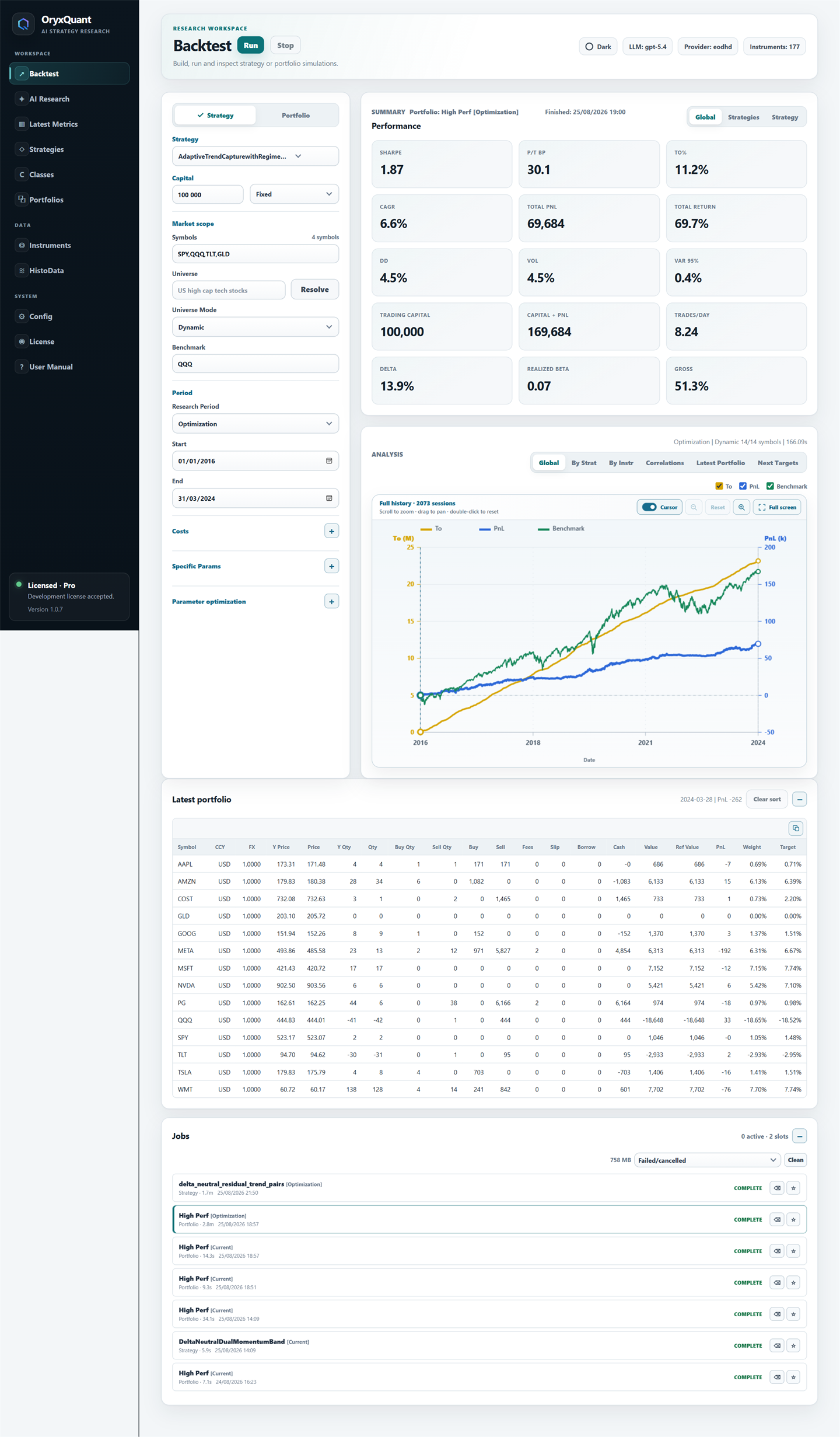
Backtesting & dataRealistic accounting
Validate signal robustness.
Run saved strategies or complete portfolios across defined research periods using adjusted daily histories and explicit portfolio accounting.
- Realistic assumptionsModel fees, slippage, borrow costs, FX, cash, and integer positions.
- Capital modesCompare fixed-notional and compounded research programs.
- Complete analysisReview metrics, benchmarks, strategy contributions, correlations, targets, and CSV exports.
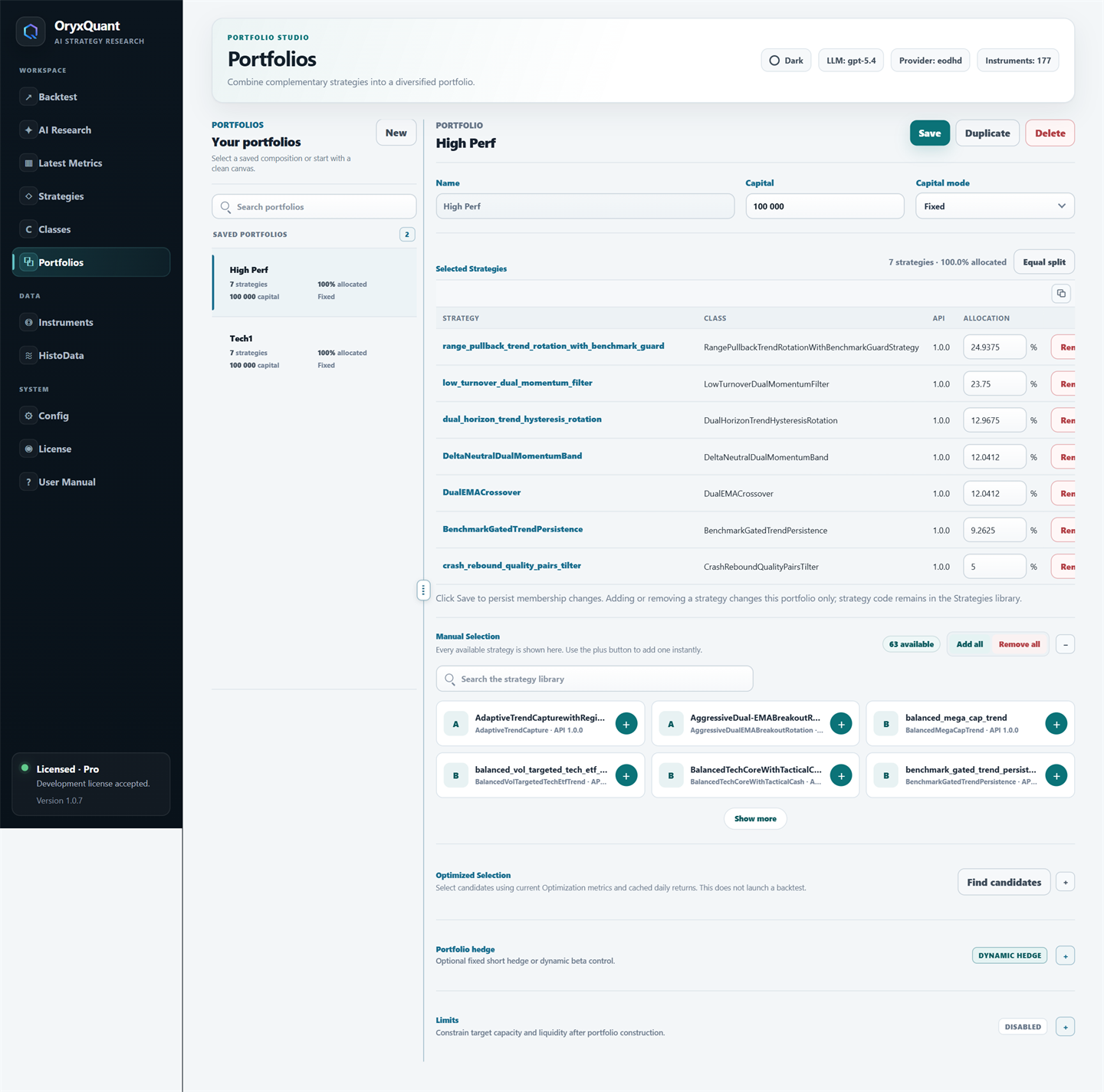
Portfolio constructionAllocation + control
Construct optimized portfolios.
Build portfolios manually or with optimization-assisted selection, set allocations, inspect diversification, and apply optional portfolio-level risk controls.
- Flexible compositionSelect strategies manually or evaluate optimized combinations.
- Allocation viewControl member weights, capital, and fixed or compounded mode.
- Portfolio controlsConfigure fixed or dynamic hedging together with exposure and liquidity limits.
Market dataInputs + mappings
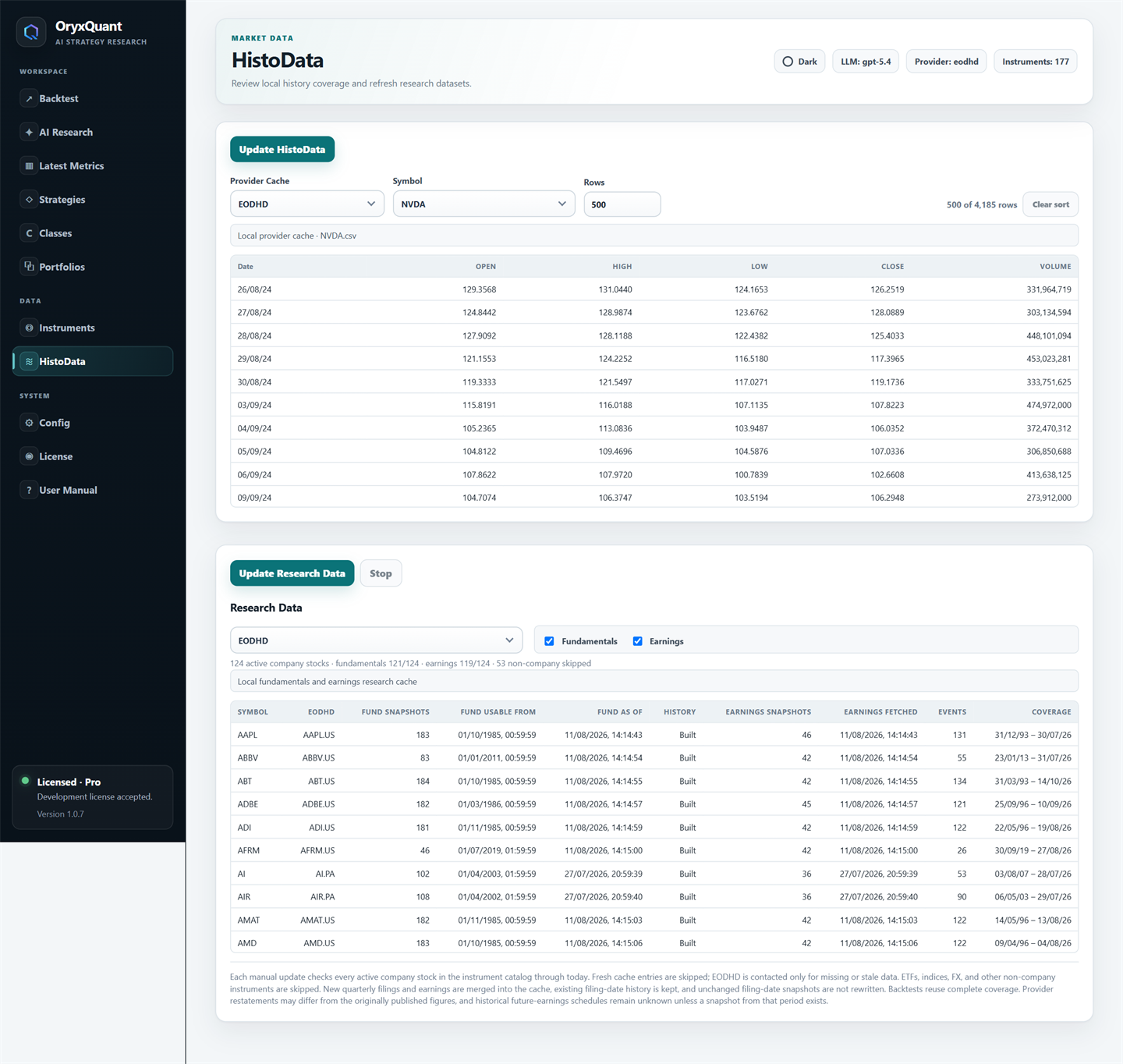
Inspect the data behind the result.
Keep instruments, historical series, fundamental data, earnings, provider profiles, corporate actions, and currency context visible throughout the research process. All parameters and detailed daily results are available as CSV exports, with breakdowns by instrument and strategy.
- InstrumentsReview symbols, metadata, currencies, and provider identifiers.
- HistoriesInspect daily series, adjustments, splits, and dividends before research.
- Provider choiceUse supported data services or a local CSV profile with separate caches.
Local architecture
Your research workspace runs on your Windows computer.
The company site presents the product. The licensed local OryxQuant service opens an authenticated browser workspace and keeps strategy code, market data, and results on the local computer.
See the real workspace
Move through every available view.
The interactive demo uses current OryxQuant screens for research, strategies, portfolios, data, and configuration.
Explore the demo