Keep the research stack under your control.
An authenticated browser workspace connects to the Windows research service, keeping strategy code, market data, configurations and results within the local application environment.
Automated AI research for stocks and ETFs.
Our solution empowers your quantitative research through AI strategy generation, local backtesting, and portfolio construction in one Windows workspace.
One research loop
OryxQuant brings strategy generation, realistic testing, portfolio construction, market data and audit lines into one coherent local workflow.
Closed-loop AI research
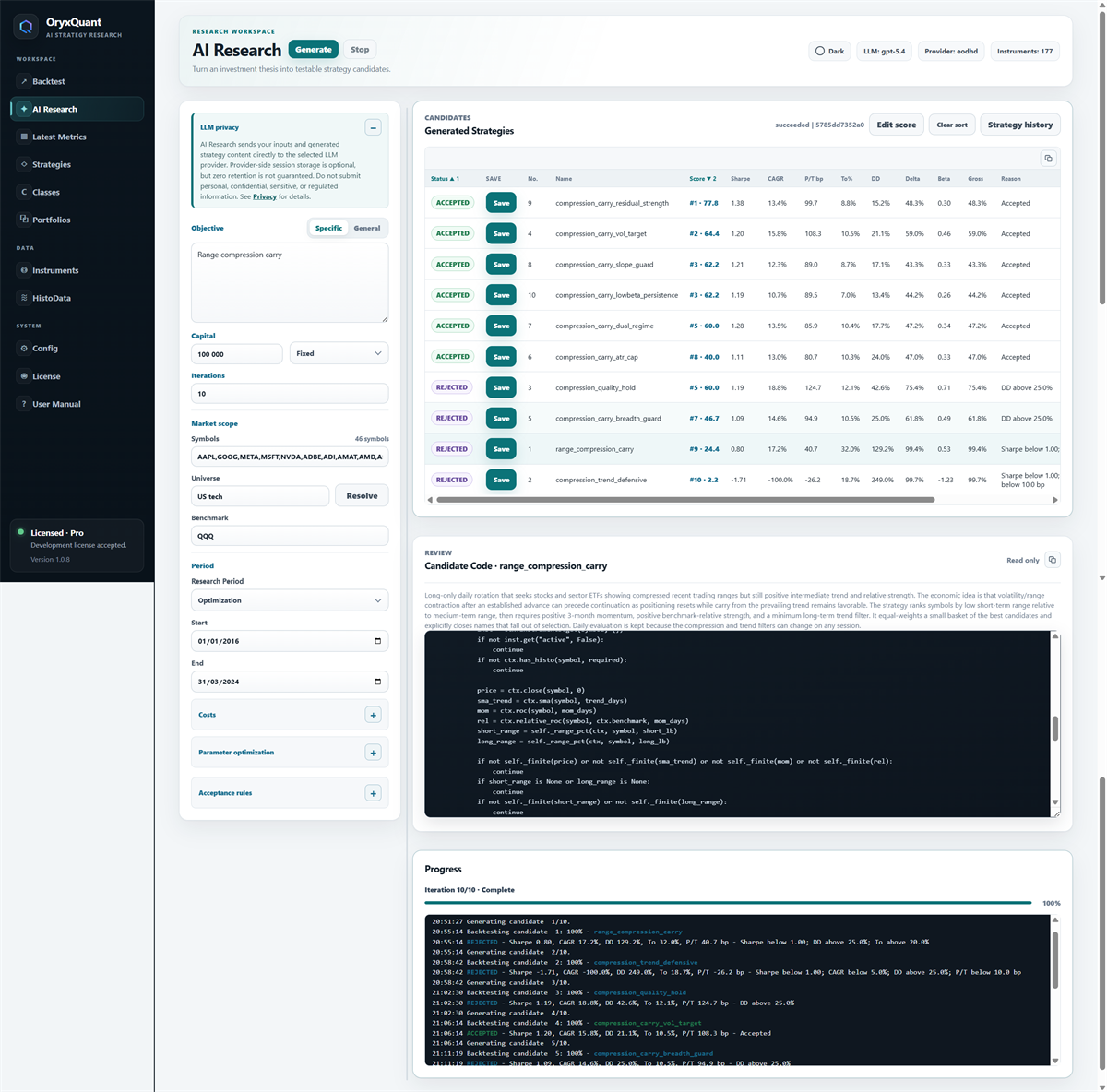
After each backtest, OryxQuant feeds the measured KPIs, acceptance constraints, and previous results back to your configured LLM. The LLM uses that evidence to generate revised Python code for the next strategy iteration.

01 / AI Research
Explain the behavior you want to investigate. Your configured LLM provider turns the objective into strategy candidates while OryxQuant keeps the resulting Python visible for review.
02 / Backtest
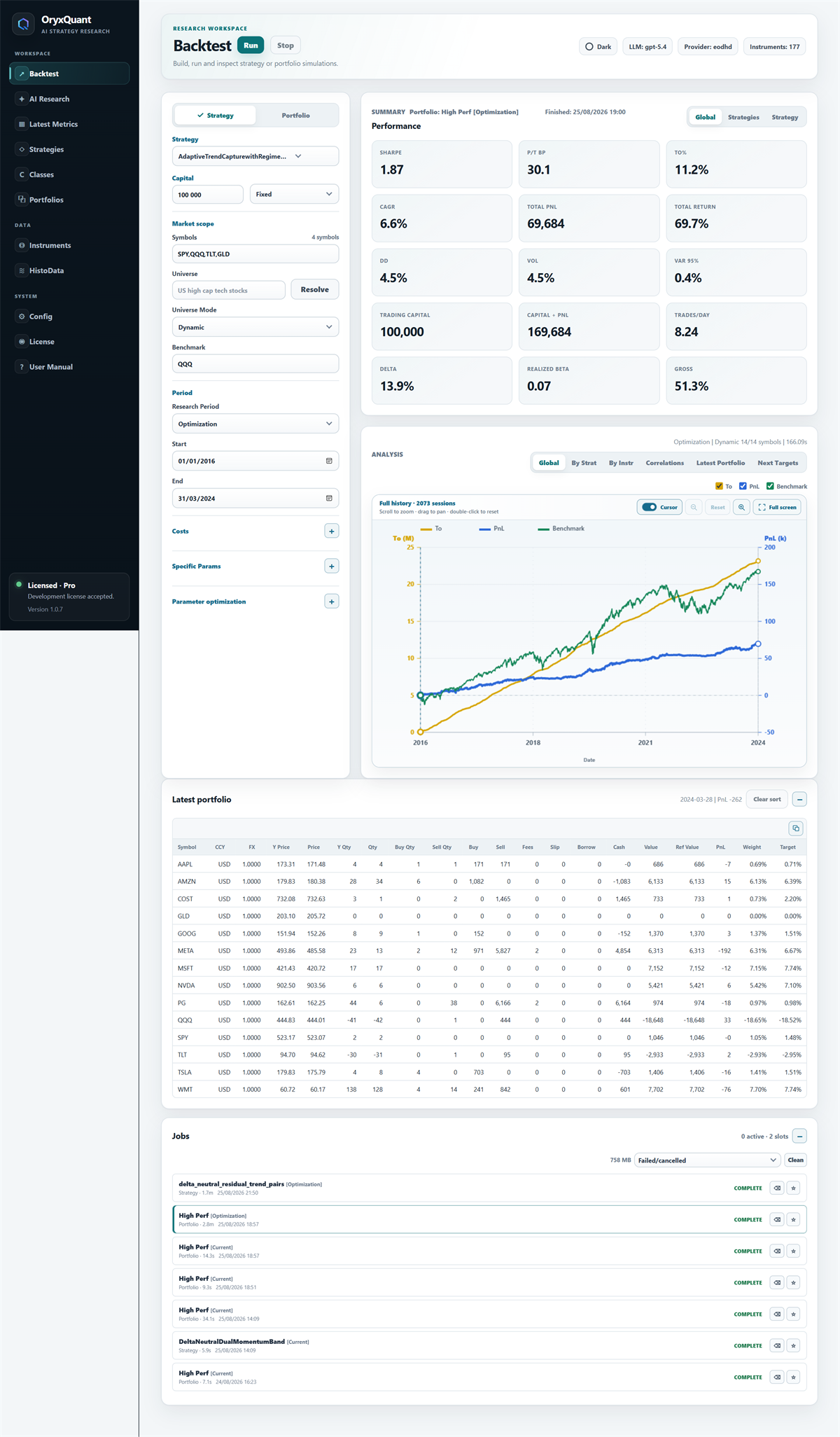
Run adjusted daily backtests with explicit fees, slippage, FX conversion, cash accounting and integer position sizing, all modeled independently from the strategy logic.
03 / Portfolios
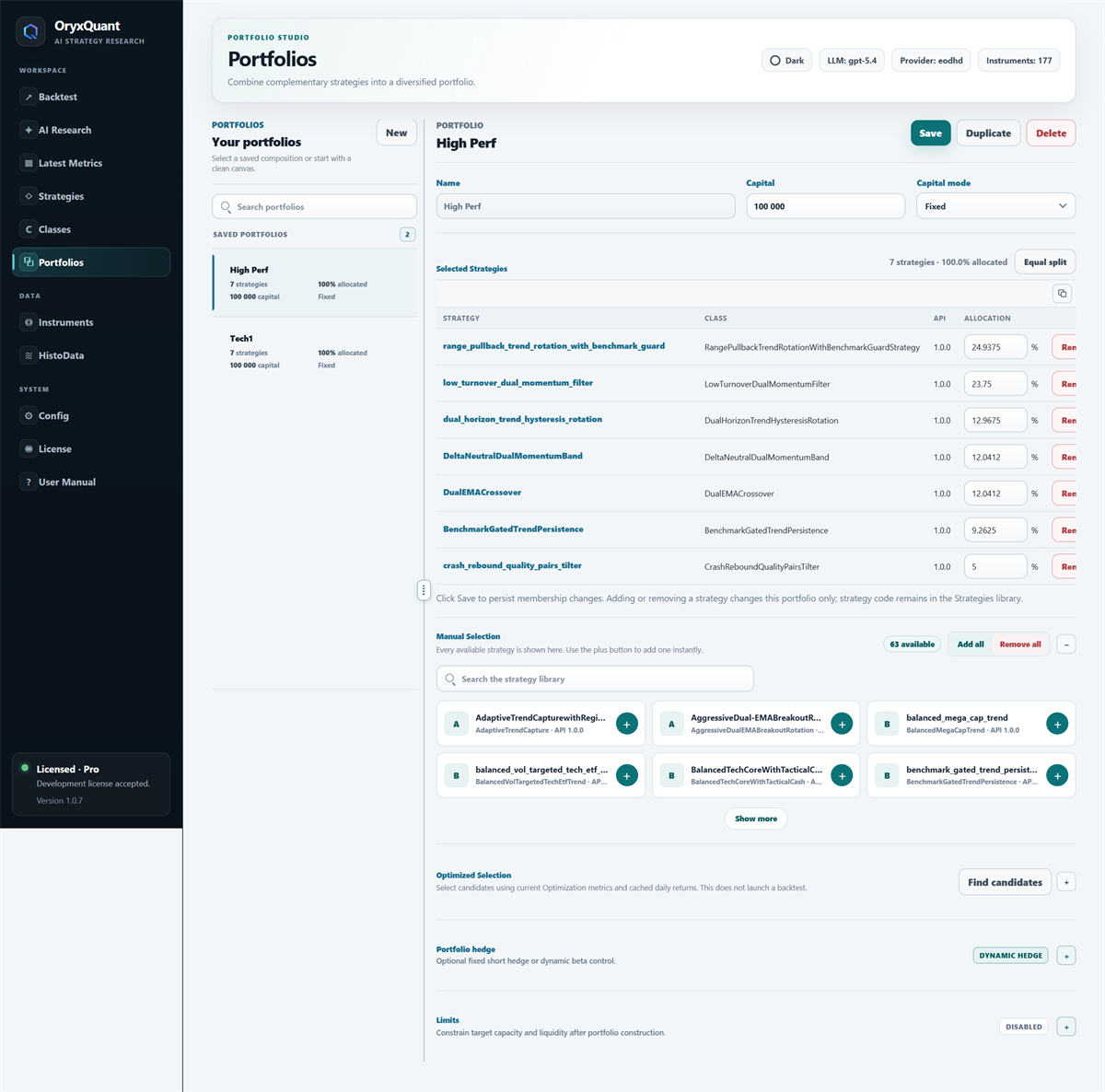
Use manual portfolio construction or portfolio optimization to combine saved strategies, evaluate their joint risk and return characteristics, and apply portfolio-level controls while preserving full visibility into the underlying composition.
Quantitative research infrastructure
A credible result depends on traceable inputs, explicit assumptions, reproducible runs and diagnostics that can withstand scrutiny.
An authenticated browser workspace connects to the Windows research service, keeping strategy code, market data, configurations and results within the local application environment.
Inspect adjusted price histories, instrument metadata, provider mappings and FX conversions from the same research environment.
Review drawdowns, risk-adjusted returns, exposures, correlations and benchmark-relative behavior before admitting a strategy to portfolio construction or optimization.
Your choice of AI
Connect an API account or use your local Codex or Claude sign-in. Every option follows the same strategy generation, validation, and backtest workflow.
Use OpenAI or another compatible endpoint, or connect directly to Claude API with your Anthropic key. Choose your model and pay your API provider for usage.
Use your local Codex ChatGPT sign-in and your account's available Codex allowance. No API key is needed in OryxQuant.
Connect through your installed Claude Code CLI and its own sign-in. Uses your account's available Claude Code allowance, with no API key needed in OryxQuant.
AI usage is separate from your OryxQuant subscription. Model access and usage limits depend on your provider account. Run the compatibility test in Config to check your chosen setup.
Local workspace
OryxQuant keeps the application workspace on your Windows computer. AI Research sends its selected inputs directly to the LLM provider you configure; the company website does not receive your strategy research.
Read the privacy details ↗Know what runs where
OryxQuant separates local research, external providers, and commercial services so you can understand every connection before using the product.
Strategy code, market data, backtest results, portfolios, and research jobs remain in the local OryxQuant workspace.
AI requests, market histories, and fundamental data flow directly between the local application and the services you configure.
Subscription, invoice, and licence information is handled separately from the contents of your quantitative research.
Common questions
All OryxQuant plans support quantitative research on stocks and ETFs.
No. OryxQuant is a research environment for generating, inspecting, backtesting, and combining strategies. It does not place brokerage orders or provide investment advice.
They are stored in the OryxQuant workspace on your Windows computer. The public company website does not receive your strategy code, market data, or research results.
Yes. Choose an OpenAI-compatible API or Claude API with your own API key, Codex with local ChatGPT sign-in, or Claude Agent through your installed Claude Code CLI and local Claude sign-in. Fresh commercial installations include OpenAI, Claude API, Moonshot.AI, OpenRouter, Codex, and Claude Agent profiles. API providers bill API usage; Codex and Claude Agent use your account's available allowance. AI usage is separate from your OryxQuant subscription. Provider availability, billing, retention, training, model restrictions, and data controls remain governed by that provider.
Yes, for provider-backed downloads. OryxQuant currently supports EODHD, Alpha Vantage, and Tiingo using the API credentials you configure. You can also use local CSV data without a provider account. Data coverage, quotas, billing, and licensing remain governed by the selected provider. Fundamental data and earnings additionally require OryxQuant Pro and an eligible EODHD plan.
The certified application targets 64-bit Windows 10 and Windows 11. Core and Pro each include one activated computer.
Core includes the main research workflow with tighter limits. Pro unlocks strategy and portfolio optimization, portfolio hedging and limits, and the complete supported symbol capacity.
Contact us to discuss deployment scope, onboarding, security review, support terms, or requested product adjustments. The available licences remain Core and Pro.